
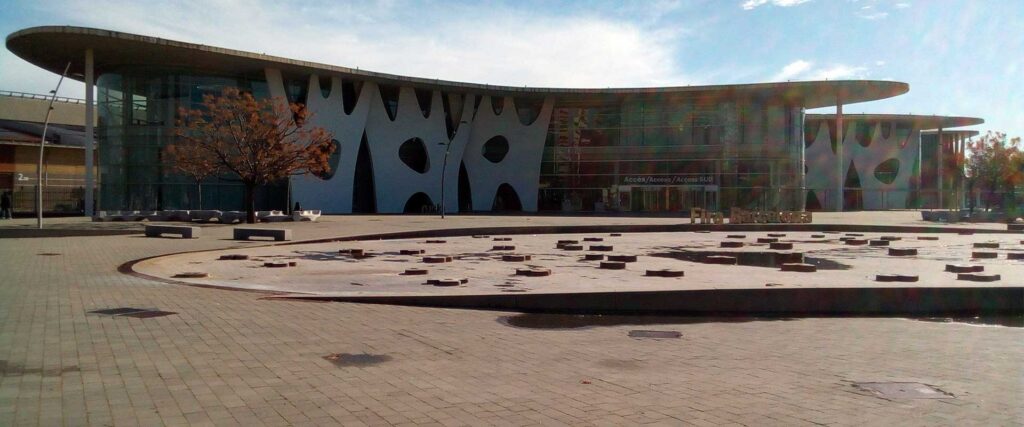
MWC Barcelona returns to Fira Gran Via from March 1–4, 2027. The event brings together companies and decision-makers from across mobile technology, connectivity, AI, cloud services, devices, and enterprise technology.
For exhibitors, the challenge is not simply to attract attention. Visitors arrive with packed schedules, pre-booked meetings, and a long list of companies to see. Your exhibition stand therefore needs to give the right people a clear reason to stop, and make the next step easy once they do.
This guide covers the essential practical information for MWC Barcelona 2027, along with advice for presenting technical products, planning demonstrations, and creating a stand that supports both quick introductions and more detailed conversations.
MWC Barcelona 2027 dates, venue, and opening hours
- Dates: Monday, March 1 to Thursday, March 4, 2027
- Visitor hours: 8:30 am–7:00 pm Monday through Wednesday, and 8:30 am–4:00 pm Thursday
- Venue: Fira Gran Via, Av. Joan Carles I, 64, 08908 L’Hospitalet de Llobregat, Barcelona
- Official language: English
- Official website: MWC Barcelona
Exhibitors with extended-hours access can enter the venue from 7:00 am. Build-up, dismantling, and stand-access times depend on the arrangements for your space and should be checked in the organizer’s Online Event Manual. The latest visitor information is available on the official page for opening hours and Fira Gran Via.
What could your exhibition stand cost?
Choose your stand size, configuration, and optional features to get a no-obligation price estimate in minutes.
Exhibition space, registration, and access
Companies interested in exhibiting or sponsoring can contact the organizer through the MWC Barcelona exhibitor and sponsor page. The available format, location, price, and commercial terms will depend on the type of participation you choose.
Once your participation is confirmed, use the Online Event Manual and exhibitor resources as the working reference for technical rules, venue services, logistics, and deadlines.
All attendees must register online and complete the required identity validation before arriving. Make sure employees, invited customers, and other guests have completed the process well in advance.
Decide which conversation the stand should start
MWC covers a broad technology ecosystem. The same product may be relevant to a network operator, a manufacturer, a public organization, or a company building a new digital service – but each audience will evaluate it from a different perspective.
Before developing the main message for your stand, define the conversation you want it to create. Consider:
- Which companies or organizations are the priority?
- Which roles do you most want to meet?
- What problem should those visitors recognize immediately?
- What should they understand after the first minute?
- What is the ideal next step: a demonstration, a technical discussion, or a meeting after the event?
A stand does not need to explain every possible application from the aisle. It needs to create a relevant entry point and grab attention. The wider product story can then unfold through the demonstration, supporting graphics, and the team’s conversation.
Choose the right part of the MWC ecosystem
MWC Barcelona is the main event, but it is not the only opportunity taking place around Fira Gran Via.
4YFN runs alongside MWC Barcelona and focuses on startups, investors, and collaboration between emerging companies and established businesses. It uses a separate entrance at the northern end of the venue. If your main objectives involve investment, partnerships, or early-stage market exposure, consider whether 4YFN provides a more relevant setting than the main exhibition.
Talent Arena is scheduled for March 1–3, 2027 at Fira Barcelona Montjuïc, Hall 8, near Plaça Espanya. The event focuses on developers and digital talent and may be relevant if recruitment, employer branding, or participation in technical communities is part of your goal. MWC and 4YFN attendees with a valid Digital Access Pass can access Talent Arena through its dedicated entrance at Plaça Espanya.
The right choice depends less on the size of each event than on the people you need to meet and what you want those meetings to achieve.
Lead with the business situation, not the technology label
Visitors at MWC will see terms such as AI, cloud, security, automation, and connectivity throughout the venue. These labels establish the category, but they rarely explain why a specific visitor should care about a specific product.
Start with a situation your audience recognizes. For example:
- A network team needs to identify faults faster.
- A customer service operation is repeatedly handling the same requests.
- A company lacks a clear view of data spread across several systems.
- A connected device must remain reliable with limited power or connectivity.
- An organization needs tighter control over access to sensitive information.
Then show what changes when your solution is introduced. If it reduces response time, combines fragmented data, or automates a manual action, make that improvement visible in the story or demonstration.
The technical architecture still matters. It simply becomes easier to discuss once the visitor understands the practical reason behind it.
Design the demonstration for different levels of interest
A full product walkthrough can be valuable in a scheduled meeting, but it is usually too detailed for the first interaction at the edge of a busy aisle. Build the demonstration so it can expand with the visitor’s interest.
One useful structure is:
- The quick view: Show the situation, the key action, and the outcome in less than a minute.
- The guided demonstration: Focus on the functions relevant to the visitor’s role, industry, or use case.
- The technical review: Cover architecture, integrations, security, implementation, and documentation with the right specialist present.
These conversations do not all need to happen at the same screen. A long technical review in the center of the stand can block shorter demonstrations and make it difficult for new visitors to approach.
Plan a backup for any demonstration that depends on an external platform, internet connection, or specific device. A recorded sequence using realistic data is more useful than a live demo that cannot be completed. Be transparent about what is live and what is recorded or simulated.
Give invisible technology a visible story
Many products at MWC have no obvious physical form. They route data, manage access, connect devices, monitor infrastructure, or automate decisions. A software interface may show the product in use, but it does not always explain what is happening around it.
Use visual communication to reveal that wider process. A simple device-to-network-to-cloud diagram, an animated data flow, or a before-and-after comparison can help visitors understand the relationship between systems without beginning with a technical lecture.
Graphics and print for exhibition stands can provide a fixed overview that works without assistance from a team member. Changing scenarios, motion, and product sequences can be presented on an integrated LED screen.
Match the content to the viewing distance. Large headlines, processes, and outcomes can work from the aisle. Code, dashboards, and detailed diagrams belong closer to the demonstration area, where a team member can guide the conversation.
Plan the stand around the activities it must support
MWC attracts technical specialists, buyers, partners, investors, and senior decision-makers. Some will discover you while walking through the hall; others will arrive for a scheduled meeting. The layout should support both.
Depending on the available space, the stand may need:
- A clear entry point: A message or demonstration that identifies the audience and use case.
- An open demo area: Space for brief presentations without blocking the aisle or the stand entrance.
- A quieter meeting area: A place for scheduled discussions, technical reviews, and confidential topics.
- Practical storage: Room for equipment, personal items, spare parts, printed materials, and refreshments.
On a compact stand, one area may serve several purposes. The functions should still be considered separately. Placing the only meeting table in front of the main demo screen, for example, makes both activities harder to manage.
Begin with the expected conversations and demonstrations, then choose the furniture and layout. The exhibition stand design should reflect the equipment you will use, the number of people involved, and the amount of privacy each activity requires.
Include technical dependencies in the floor plan
Screens, computers, connected devices, sound, lighting, networks, and charging are part of the presentation at MWC. They should be included in the stand plan from the beginning, not added after the layout has been approved.
Review:
- The number and position of screens, computers, and demonstration devices.
- Power requirements, sockets, cable routes, and charging points.
- The need for wired connectivity, Wi-Fi, or a separate test environment.
- Sound from videos and demonstrations, including its effect on conversations and neighboring stands.
- Secure storage and access to equipment, spare parts, and personal belongings.
- Time for installation, configuration, and testing before the event opens.
If a demonstration uses radio frequencies, sensors, antennas, or other specialist equipment, check whether it requires additional coordination. The organizer’s current Event Manual and your relevant suppliers should always be the final sources for technical requirements.
The published address for Fira Gran Via is not a delivery address. The organizer states that event materials sent directly to it will be refused. Transportation, unloading, and delivery to the stand must therefore follow the designated exhibitor channels and time slots.
Prepare the team for an international audience
English is the official language of MWC Barcelona, and the primary stand messaging should be easy for an international audience to understand. You do not need every technical document in several languages, but the main presentation, demo flow, and follow-up material should be ready in English.
Assign clear roles before the event. A salesperson, product manager, and technical specialist can each contribute something different, but visitors should not have to work out who can help them. Decide who welcomes people, who runs each demonstration, and who joins when the discussion becomes more technical or commercial.
Prepare different openings for the key roles you expect to meet. A technical lead may focus on integration, reliability, and security. A commercial decision-maker may be more concerned with implementation, business value, and risk. The overall story should stay consistent even when the starting point changes.
Treat pre-booked meetings as part of the stand plan
At a large international event, many visitors have most of their schedule arranged before they arrive. If a particular customer, partner, or investor matters, do not rely on them happening to pass your stand.
Identify priority contacts and arrange meetings in advance. Include a short description of what you would like to demonstrate or discuss so the other company can bring the right people.
Combine the meeting schedule, staffing plan, and stand capacity in one plan. If every specialist is booked at the same time, or several discussions require the only quiet meeting area, the bottleneck will be visible on the stand.
Allow time between appointments. Fira Gran Via is a large venue, and contacts may be coming from another hall, a conference session, or a meeting outside your stand.
Record the context behind each lead
Scanning a badge makes contact details easier to collect, but it does not explain why the person was interested. Add a short note while the conversation is still fresh.
Record details such as:
- The visitor’s role and company.
- The problem or use case you discussed.
- Relevant systems, markets, or requirements.
- The likely project timeline.
- The agreed next step and the team member responsible.
Follow-up can then continue the actual conversation instead of sending the same general presentation to every visitor. That makes it easier for both sides to decide whether there is a useful next step.
Planning to present your technology in Barcelona?
Once the audience, demonstrations, and meeting requirements are clear, the design and practical details can be brought together in one exhibition stand.
Wieben Design handles exhibition stand design, production, transportation, and on-site installation in Denmark and internationally. We shape the solution around your technology and goals, bringing messaging, demo areas, meeting spaces, and practical functions into one coordinated plan. See how we take an exhibition stand from the initial brief to final delivery.